


Gift cards are the rare present that nobody has to pretend to like. Now UpStage patrons can buy one, and your team can manage the whole thing without leaving the platform.
How Patrons Buy A Gift Card
Patrons can purchase a digital gift card from My.app or the Boxoffice app, whichever your organization uses. No account is required. Guests can buy one just as easily as a signed in patron, and the purchase flow lives right alongside your other products in the cart and checkout.
Gift cards can be purchased in any amount between $20 and $5,000.
At checkout, purchasers choose a delivery time for the recipient’s email. Leave it alone and it goes out within two hours of purchase. Set a specific date and time instead, and UpStage will hold onto it until then. See in action at https://my.upstagecrm.io/gift-cards.
What Happens Next
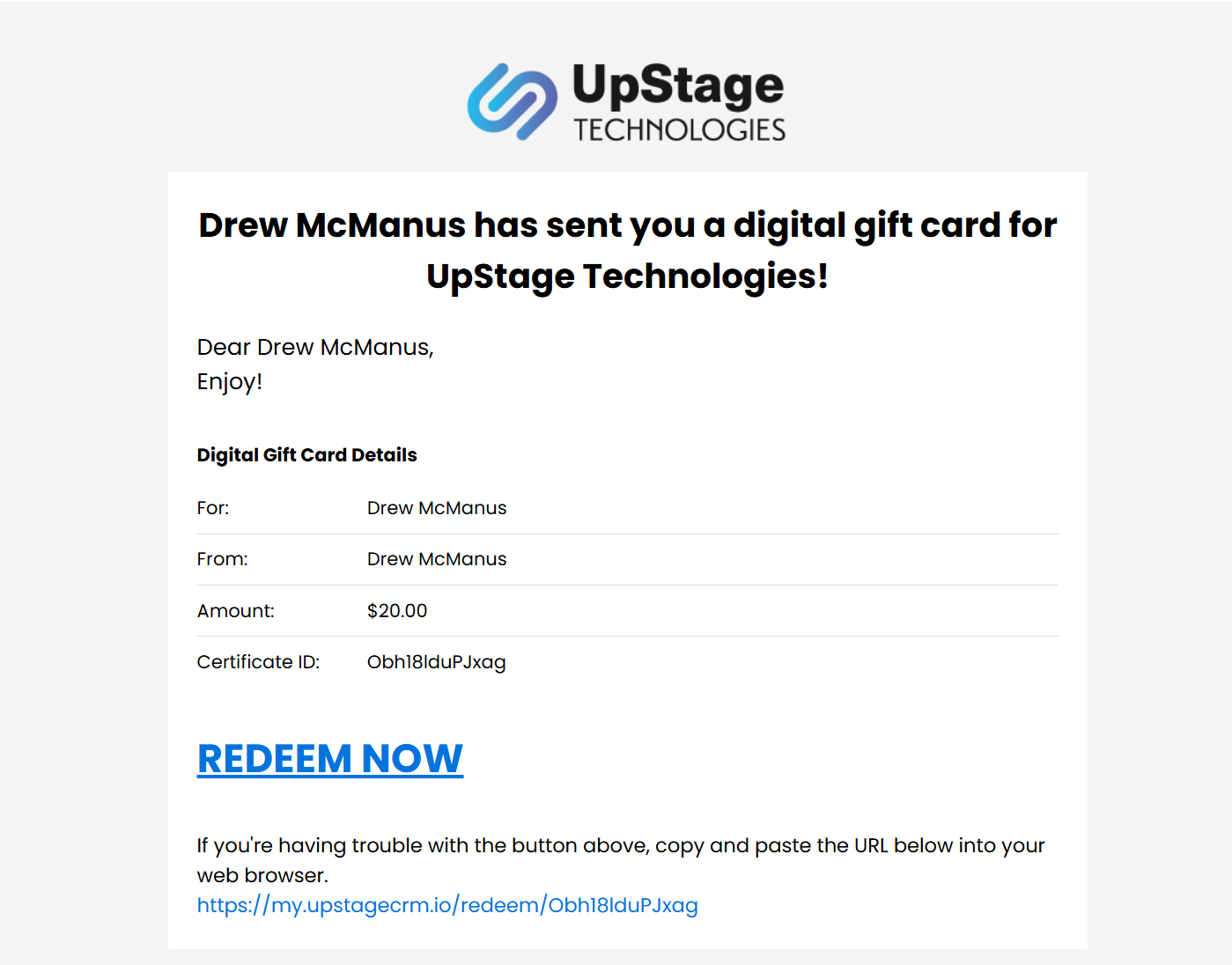
The recipient gets an email with a redemption link. They do not need to be a registered user to use it, which means the person receiving the gift does not have to create an account just to spend it. If the gift isn’t for them, or they’d rather pass it along, forwarding the email works just as well; the link isn’t tied to a specific person.
Once someone lands on My.app through that link, a persistent gift card indicator follows them around the site until they use it or head back to the gift card page.
It is a small thing, but it means nobody forgets they are holding a balance.
Using The Balance At Checkout
Gift cards can be applied toward any product your organization sells, including donations. When a purchase is smaller than the card’s balance, only the order amount comes out, and the rest stays on the card for next time. When a purchase is larger, the full remaining balance gets applied and the patron pays the difference.
The applied amount shows up as its own line item in the checkout order summary, so there is never any confusion about what the gift card covered.
Digital gift cards do not expire and carry no fees. That is true across the board, not just where regulation requires it.
What Your Team Gets On The Backend
Everything above is built to be self service for patrons, but your team still has full visibility and control.
From CRM, under Gift Cards, there is a settings toggle to turn gift card sales on or off entirely. Switch it off and the Gift Cards navigation item disappears from both My.app and Boxoffice until you turn it back on.
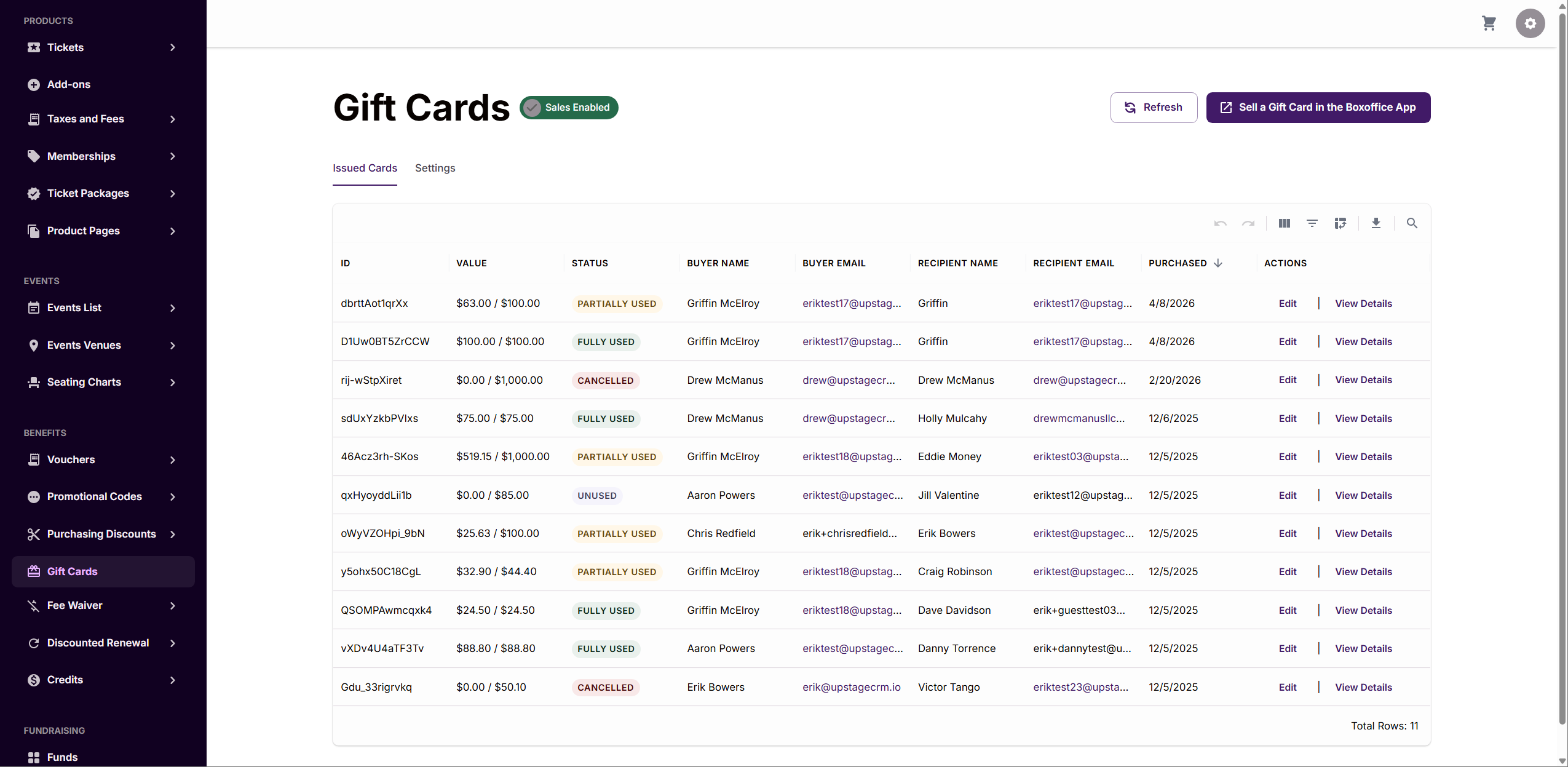
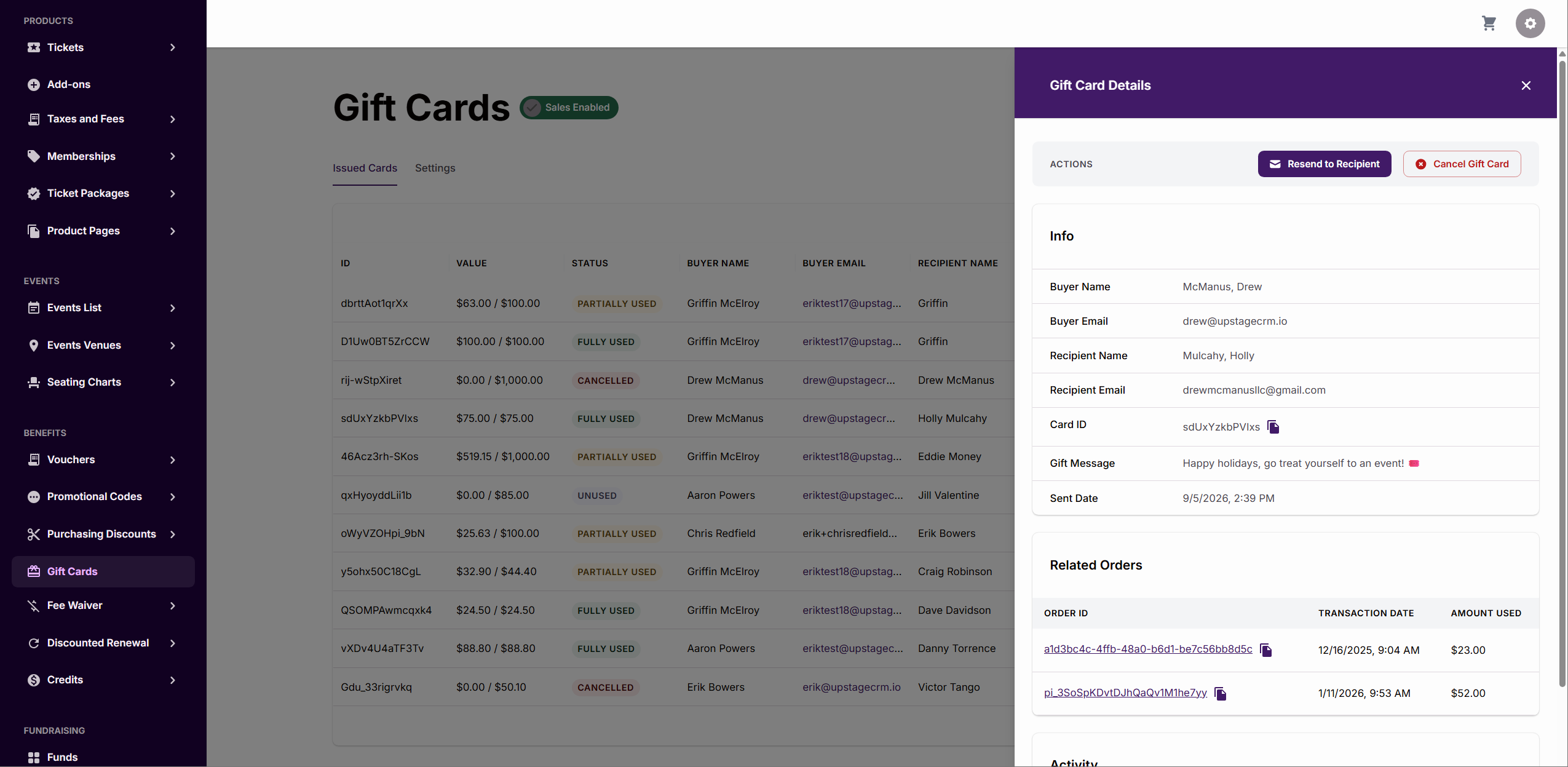
The Gift Cards dashboard gives you a list view of every card sold, including buyer and recipient names and emails, current balance, and status. If a recipient’s name or email was entered wrong at purchase, staff can correct it right from the dashboard. From there, staff can also resend the redemption email or cancel a card if needed. Staff can sell a gift card directly through Boxoffice using the same purchase flow patrons see.
Any order that used a gift card, whether viewed in CRM, Boxoffice, or My.app, now shows the gift card ID and the amount applied right in the order details.
Next Steps
Want to see how this fits into your workflow? Book a personalized demo and we’ll walk through it together.




