


A Stripe payout hits your bank account as one number. One date, one deposit, one total. It doesn’t say how much came from ticket sales, how much came from donations, how much came from memberships, or how much Stripe quietly kept in fees before the money ever reached you.
So admins have been doing the sorting themselves: Stripe dashboard open in one tab, UpStage sales report open in another, manually matching transactions to categories by hand. Every single time a payout lands. The new Stripe Payout Reconciliation Report not only closes that gap, it fills it in entirely.
What Admins Get
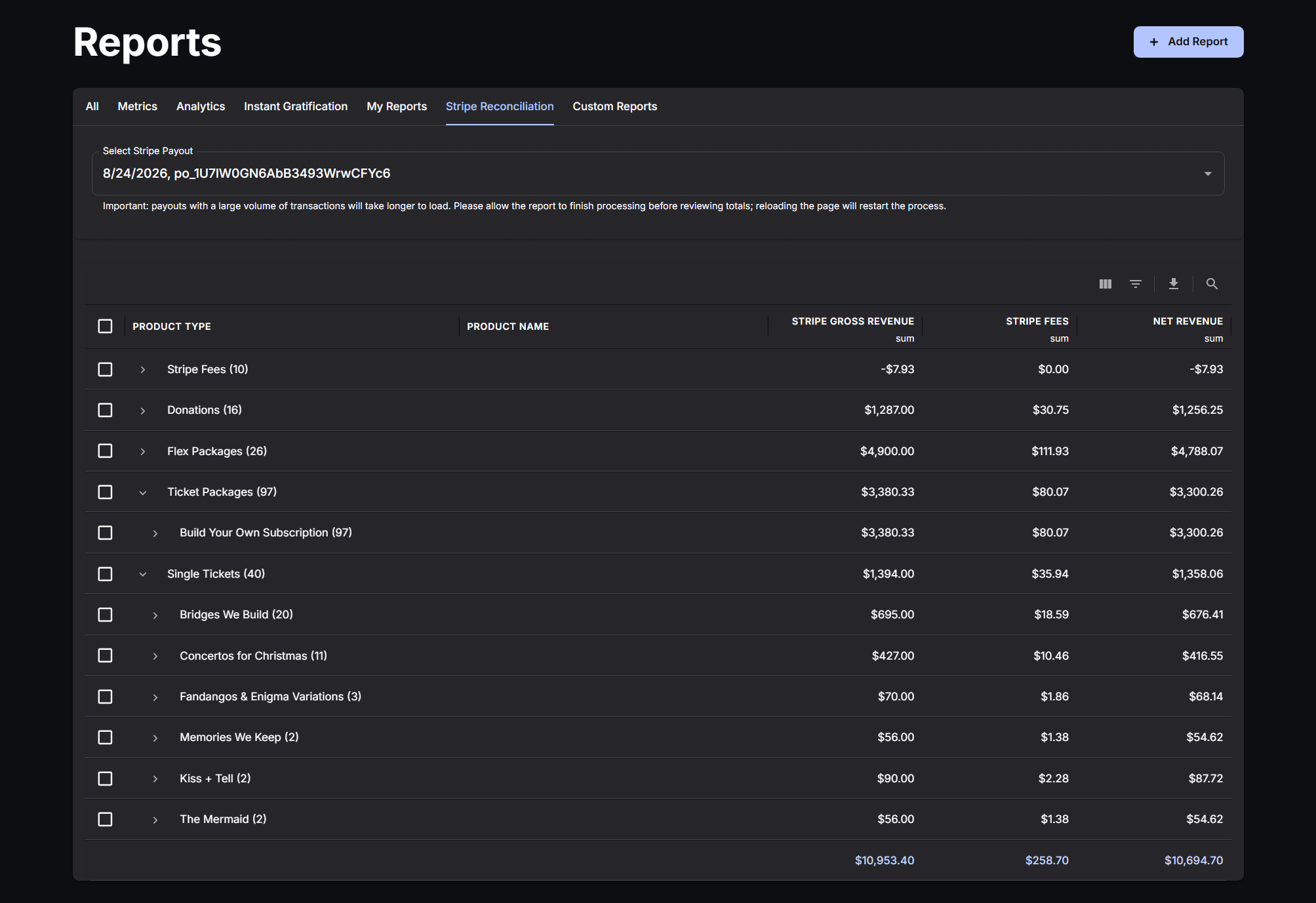
Pick a payout from the dropdown, and the report goes to work. The dropdown itself shows the arrival date, the amount, and the Stripe payout ID, with a small helper note underneath: “Payouts listed by Arrival date.” Small detail, but it’s the kind of thing that saves you from matching the wrong payout to the wrong day.
How The Data Is Organized
Once you’ve selected a payout, the report groups everything by UpStage product type: Single Tickets, Ticket Packages, Donations, Gift Certificates, Memberships, and Credits. Each product type is expandable, so you can drill into individual product names without leaving the page.
Product names also show their transaction count right in the row, so you know at a glance how many sales are behind that number.
What Each Line Item Shows
Every row breaks down to the numbers that matter: Stripe Gross Revenue, Stripe Fees, and Net Revenue. Zero dollar purchases are automatically excluded from the table, and the report calculates whether benefits partially or fully cover any fees or taxes on a transaction, so you’re not left doing that math yourself.
Next Steps
Want to see how this fits into your workflow? Book a personalized demo and we’ll walk through it together.




