


What’s New
Patrons giving to a Canadian organization can now download their own official tax receipt, directly from their account, the moment they want it. No email to the box office. No waiting on someone in your office who is, statistically, also trying to track down that receipt.
How It Works
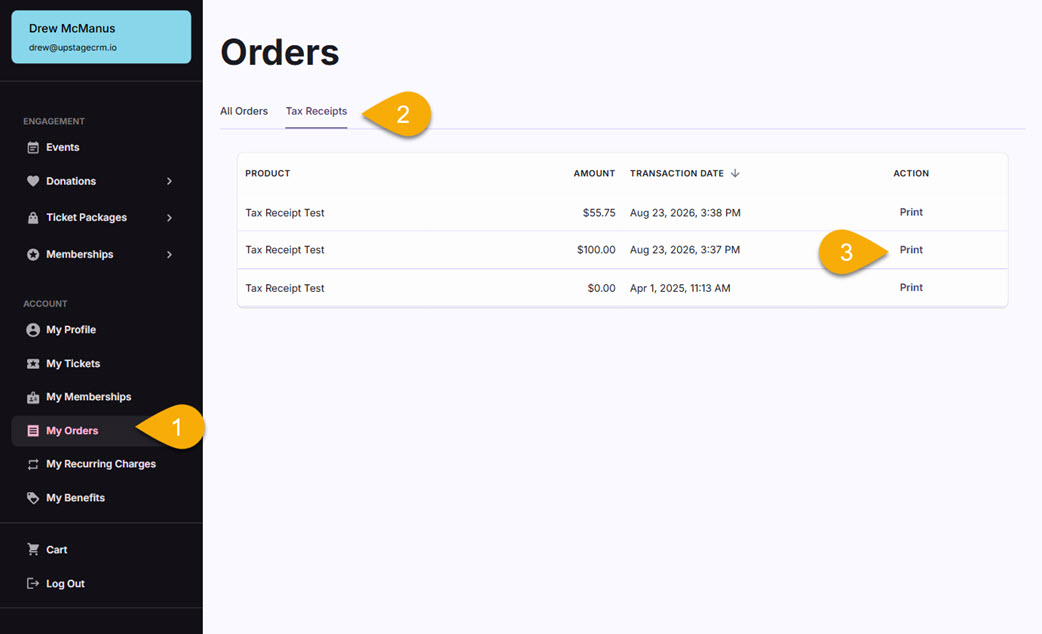
- The patron logs into their account and opens My Orders.
- A new Tax Receipts tab lists every eligible donation on file.
- They select Print on the transaction they need, and the receipt generates on the spot.
The same list also appears for your team in the Box Office app, meaning admins can always find and print receipts for patrons if needed. So if a donor calls in asking where their receipt went, your staff is looking at the same view the donor is.
Conforms to CRA’s Official Donation Receipt Format
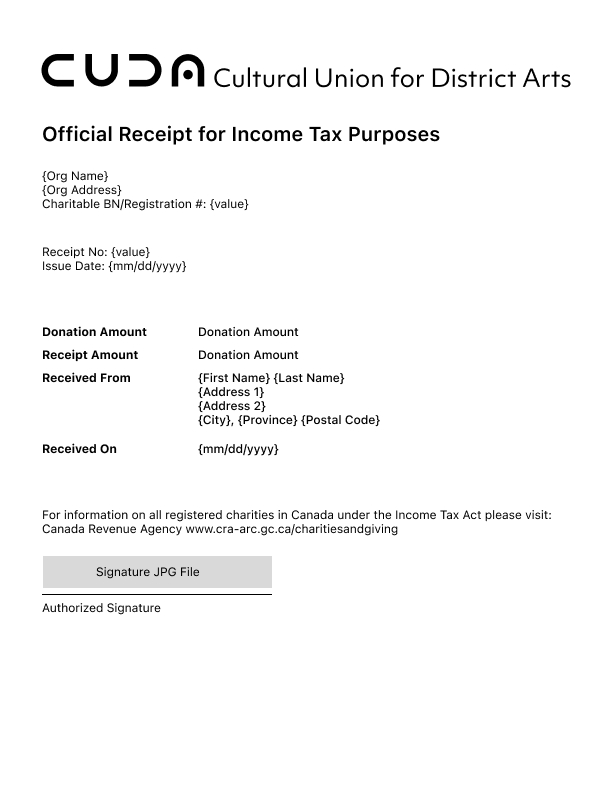
The receipt itself is laid out to match the format the Canada Revenue Agency (CRA) specifies for official donation receipts: organization name and address, charitable registration number, a unique, serialized receipt number, and the required reference line pointing donors to CRA’s charities and giving page.
Organization details and the signature graphic are configured once per install, so every receipt an organization issues carries the same information without anyone re-entering it per transaction.
Split Gifts, Calculated Automatically
Some transactions aren’t a pure donation. A gala ticket, for example, might carry both a face value and a portion that counts as a charitable gift. In those cases, the receipt reflects only the eligible donation amount, calculated automatically from the product’s earned and unearned income split, so the number on the receipt is the number a patron’s accountant expects to see.
A Date Field for the Edge Cases
Most receipts use the transaction date. But whenever you need a different date on the receipt than the date it was entered into the system, the system has you covered. In those instances, staff can set the received date manually, which appears in the printable receipt, while the issue date still reflects the day the receipt was generated.
Ready to See It In Action?
Book a personalized demo and we’ll walk through exactly how it looks for your donors.




