


Membership management used to live scattered across the Order Details view, which is a nice way of saying “wherever we could fit it at the time.” That’s over now. Memberships get their own dashboard, built the same way we built Recurring Donations, because if a pattern works, you use it again instead of reinventing it out of boredom.
A New Home For Membership Management
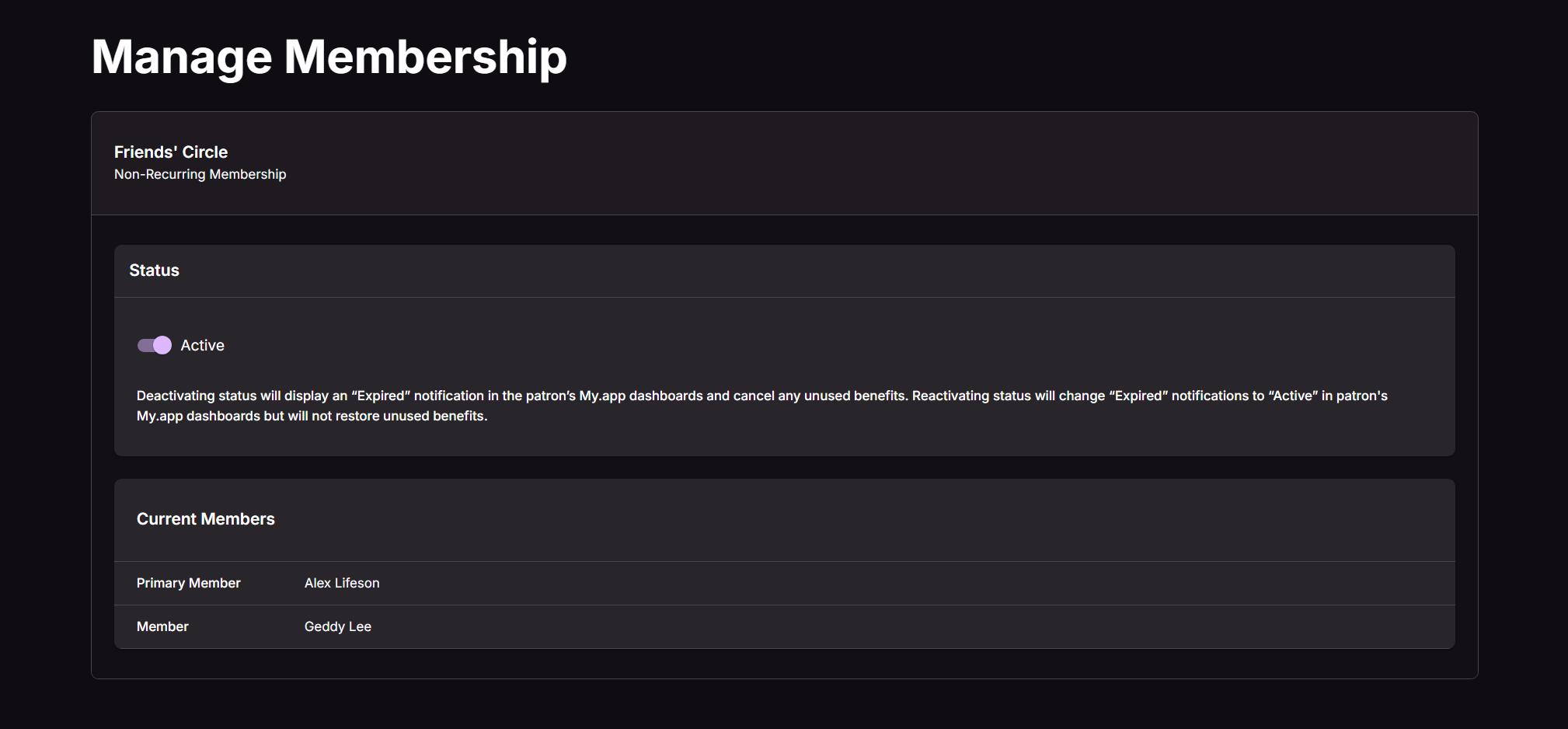
The Order Details view for a membership order is now display only: useful for a quick look, useless for making changes. Every control that actually does something, status changes, billing edits, roster management, has moved to a dedicated Manage Membership dashboard. Click Edit from an order, and that’s where you land.
The Membership List: Your New Starting Point
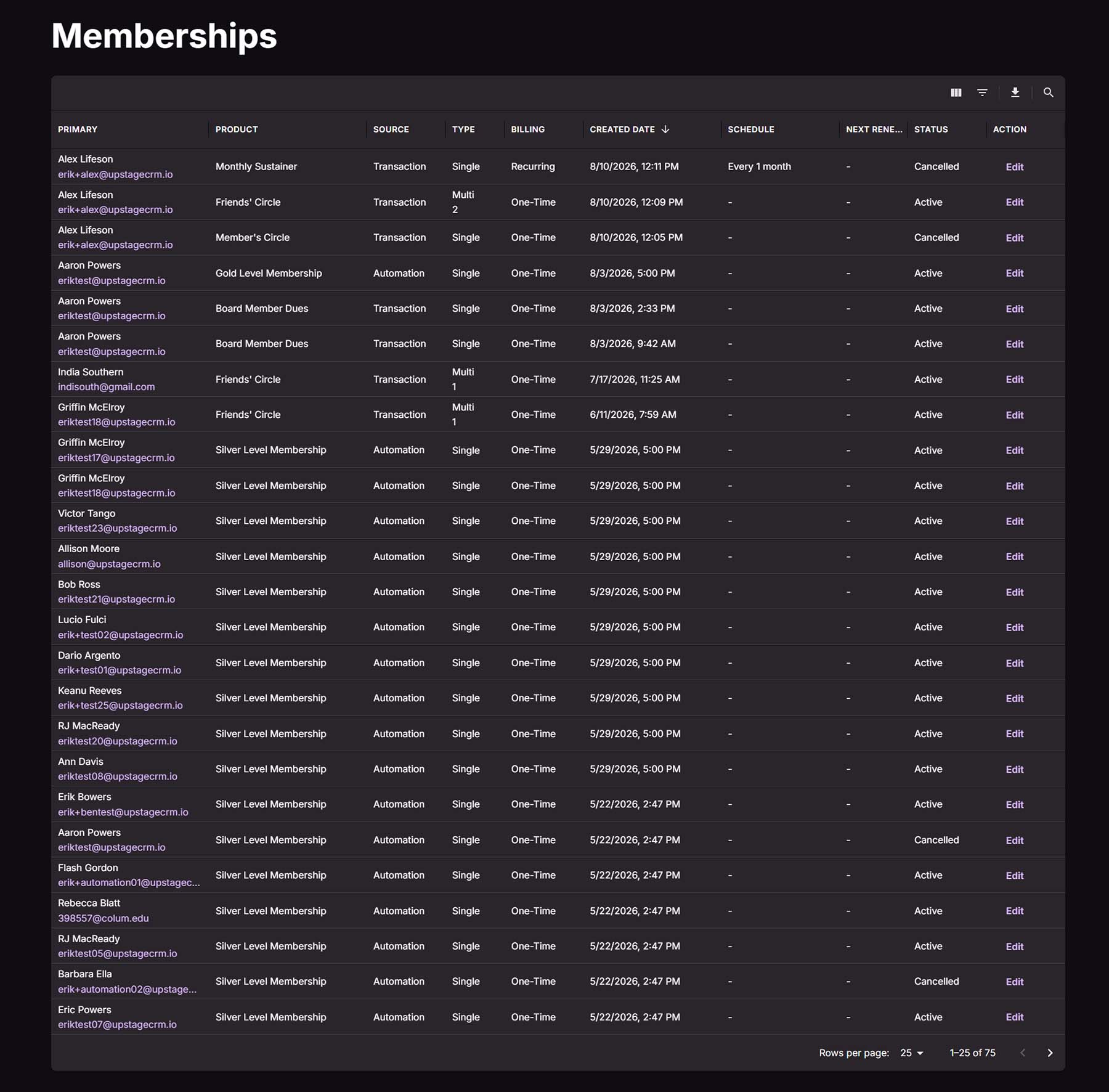
Before you get to any single membership, there’s a new Membership List landing page. It’s a table, and tables are only as good as their columns, so here’s what’s in this one:
- Primary Member: the patron’s name and email, sortable by last name.
- Membership Product: the tier or product name, sorted alphabetically.
- Source: shows whether the membership came from a Transaction or an Automation, sorted alphabetically.
- Type: Single, or “Multi: [number]” for group memberships covering up to five people. Sorting goes by Single versus Multi, not by headcount.
- Billing: Recurring or One-time, sorted alphabetically.
- Created Date: when the record was created. This is the default sort, most recent first.
- Schedule: reads as “Every [number] [period],” like “Every 1 Month.” One-time memberships show a dash here. Sorting runs on the actual interval, not the words on the screen.
- Next Renewal: the date and time of the next scheduled charge. One-time memberships get a dash. Sorted chronologically.
- Status: Active, Paused, or Cancelled, sorted alphabetically.
- Action: an Edit link straight to the Manage Membership dashboard. Not sortable, because it’s a button, not a fact about the membership.
The Manage Membership Dashboard
This is where the real work happens, and it follows the Recurring Donations dashboard pattern closely enough that anyone already comfortable there will feel at home immediately. Status changes, billing edits, and member roster management all live here now. The dashboard also refreshes with current information every time an admin lands on the page, so what you’re looking at is what’s actually true right now, not what was true the last time you happened to check.
Next Steps
Want to see how this fits into your workflow? Book a personalized demo and we’ll walk through it together.




