


Here’s a fun exercise: open your events list and count how many of those “events” are actually just the same show on a different night. Five performances of the same production used to mean five separate, mutually exclusive events in your dashboard, because that’s the only way the system knew how to tell them apart. Functional, technically. Also the kind of workaround nobody asks for twice.
One Event, Every Date, One Dashboard
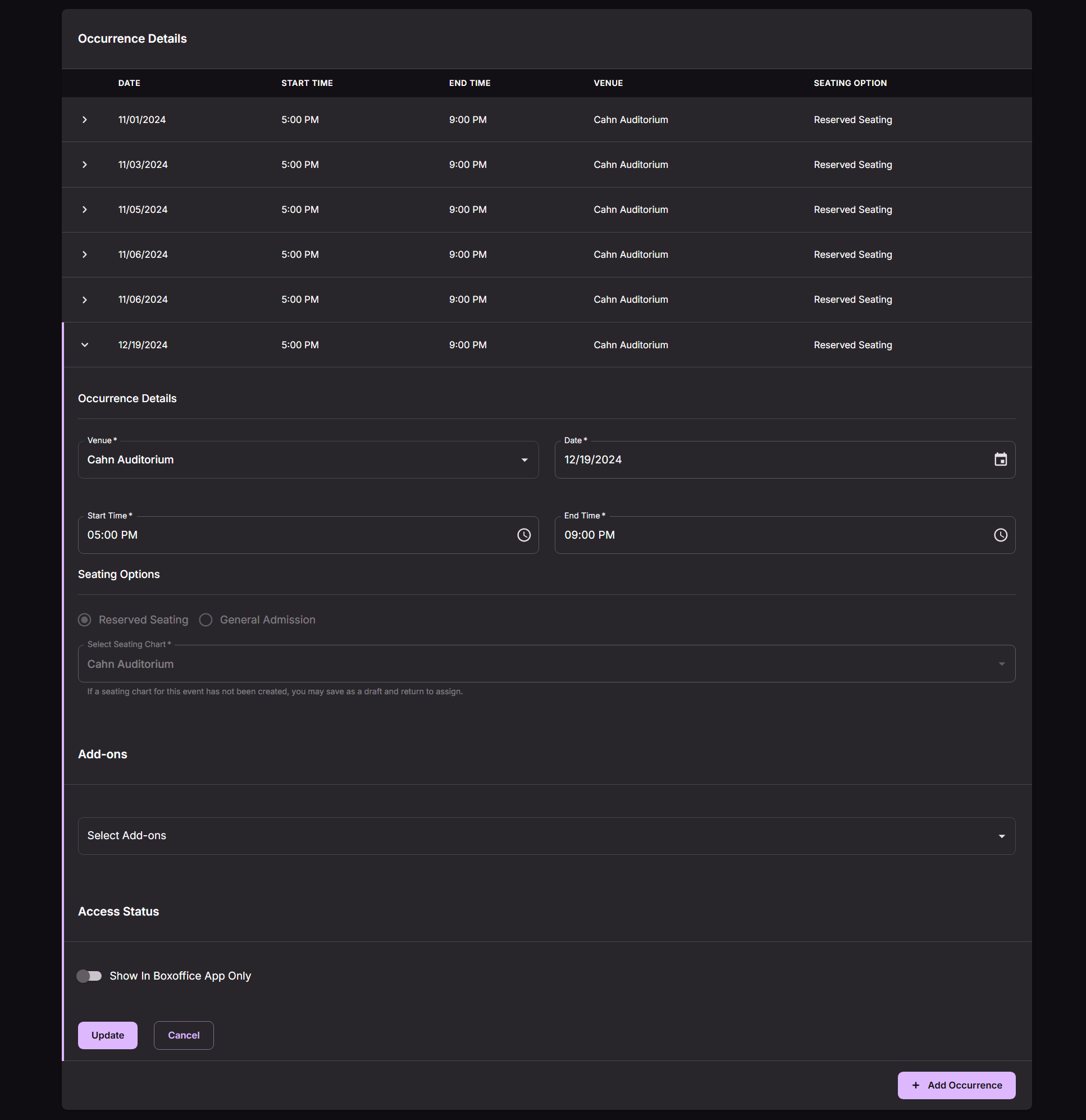
Now a single event can hold all of its occurrences in one place. Same show, different dates, one dashboard entry instead of a lineup of near duplicates cluttering your event list.
Each occurrence keeps its own details, independent of the others:
- Date
- Start Time
- End Time
- Venue
- Seating Option
Occurrences show up grouped together under that single event, and you can sort the list by date, so a run of ten shows reads like a run of ten shows instead of ten separate line items you have to mentally reassemble.
The Editing Rules Still Apply
Once an occurrence starts selling tickets, it plays by the same rules your events always have: the details lock. You won’t be editing the date or venue out from under someone who already bought a seat. The one exception is General Admission inventory, which you can still increase after the fact, the same way that’s always worked.
None of this is a workaround anymore. It’s just how a multi-date event works now.
Next Steps
Learn more about event management in the overview video.
Next Steps
Want to see how this fits into your workflow? Book a personalized demo and we’ll walk through it together.




